
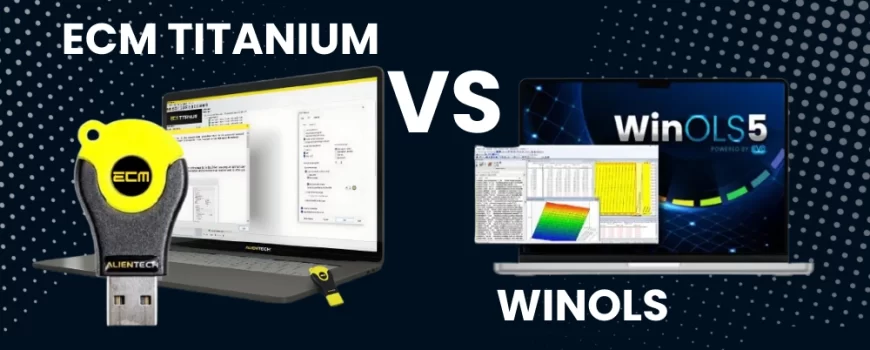
ECM Titanium 3.0 vs WinOLS 5: A Comprehensive Comparison
Deciding on the right ECU remapping software is a critical step for any tuning professional. The choice you make will influence your workflow, efficiency and the tuning capabilities you can offer from standard Stage 1 tunes to complex custom projects. Two of the most prominent names in the industry are Alientech’s ECM Titanium 3.0 vs WinOLS 5. Both are powerful tools but they cater to different needs and skill levels. This article provides a detailed comparison to help you determine whether ECM Titanium or WinOLS is the right fit for your tuning business.
Understanding ECM Titanium
ECM Titanium is the map writing software developed by Alientech, designed to make the process of interpreting and modifying ECU files straightforward and intuitive. The software works with “drivers” which are files created by Alientech’s developers. These drivers overlay the original ECU file, identifying all the maps available for modification. This means you can edit parameters like ignition timing, fuel delivery and turbo pressure with clarity and confidence.
The latest version, ECM Titanium 3.0, introduced several powerful features that significantly improve workflow:
- Project Database: The software now organises your work into a project database. This stores the original file alongside multiple modified versions such as Stage 1 or Stage 2, allowing you to add notes and build a personal library of your tunes.
- Side-by-Side Comparison: A new comparison feature lets you open two projects simultaneously. This is invaluable when a new car comes in; you can compare its file to a similar vehicle you have already tuned and easily copy the changes across, saving hours of development time.
- Advanced Drivers: Drivers are now more sophisticated, often including maps for “special features” like overrun burbles and pops and bangs. Furthermore the annual subscription allows you to request modifications to existing drivers or even entirely new ones from Alientech’s support team.
As Paul Busby highlighted, this support adds immense value for a solo tuner:
“For 630 odd dollars or £500… You’ve now got a support team of 20 to 30 guys looking through these files, trying to make particular drivers for you… all whilst you’re doing other work.” – Paul Busby
The visual interface displays data in tables and 2D or 3D graphs, making it accessible for both new and experienced tuners. Alientech Tuning provides extensive support and training for the software, ensuring users can maximise its potential.
Deconstructing WinOLS
WinOLS is a highly advanced hexadecimal editor specifically designed for modifying ECU data. Unlike ECM Titanium which uses pre-defined drivers, WinOLS presents the user with raw data, requiring the tuner to search for and define maps manually. To put this in perspective, opening a modern ECU file in WinOLS can reveal over 600 “potential maps” with absolutely none of them identified.
It is renowned for its flexibility and power, giving the user complete control over the file. Experienced tuners often use it with DAMOS or A2L files which serve as extensive map packs to define the complex data within an ECU file. It is important to distinguish between a standard map pack which is a curated list for tuning and a full DAMOS file which can contain over 50,000 maps for every conceivable function and can be overwhelming. Its open-ended nature means the learning curve is steep and it is generally favoured by seasoned professionals who need to develop custom tuning solutions from the ground up.
Key Feature Comparison: ECM Titanium 3.0 vs WinOLS 5

When comparing these two platforms, it is essential to look at their core features and how they impact the tuning process. The best choice often comes down to your experience level, business goals and the types of vehicles you work on.
User Interface and Ease of Use
For those new to the world of ECU remapping, ECM Titanium offers a significantly friendlier introduction. Its driver-based system removes the guesswork involved in locating and identifying maps.
Tuning expert Simon White perfectly captures the contrast in user experience:
“You’ve gone from a nice, supported, nice, safe, happy place with ECM… ‘Here are your maps. Have fun tuning,’ to ‘Here is a file. Go find it all yourself with WinOLS.” – Simon White
WinOLS on the other hand presents a more complex interface that resembles a raw data editor. Without a DAMOS file, a tuner must manually search through hexadecimal code to find maps, a process that requires deep knowledge and experience.
Drivers and Map Identification
The concept of “drivers” is central to ECM Titanium’s appeal. These files are created by Alientech and provide a tested and verified roadmap to the ECU’s data. This system ensures a high level of reliability and safety, preventing accidental modification of incorrect data fields. It streamlines the workflow considerably, making tuning faster and more repeatable.
WinOLS operates differently. While it can import map packs like DAMOS files, many users learn to identify maps based on their structure within the hex dump. This skill allows a tuner to work on any ECU, even one that is not widely supported.
Software Synergy: A Professional’s Approach
While often viewed as competitors, many professional tuners use both platforms together to maximise efficiency. A popular pro-tip is to use ECM Titanium as a map-finding tool for WinOLS.
Simon White explains this powerful technique:
“ECM Titanium can empower not just your tuning inside this software but if you’re using other software as well… Jump into ECM. Start to train yourself on pattern recognition, what the map looks like. When you’ve seen it a few times in ECM… you’ll then start to recognise it really quickly inside of WinOLS.” – Simon White
This method leverages the simplicity of ECM to speed up the workflow in the more complex WinOLS environment.
Checksum Correction
Both platforms handle checksum correction, a crucial final step. The checksum is a value the ECU uses to verify the integrity of its data; if it is incorrect, the vehicle likely will not start. ECM Titanium automatically corrects the checksum for its supported drivers. WinOLS also has powerful checksum capabilities but a user may need to purchase additional plugins for specific ECU families which can add to the cost.
Support and Training
Alientech Tuning provides dedicated technical support for ECM Titanium. This includes installation assistance and guidance on using the software. Furthermore comprehensive training courses are available both online and in person. This ecosystem of support is invaluable for professionals who want to build their skills on a solid foundation.
Support for WinOLS typically comes from the wider tuning community and third-party trainers. While EVC provides technical support for the software itself, the application and map-finding knowledge must often be acquired through independent study or specialised courses.
Watch the Masterclass: ECM Titanium 3.0 vs WinOLS 5
To see these two platforms compared live by experts, you can watch the full recording of the “Map Writing Software Masterclass” webinar. Hosted by VIEZU Technologies’ Paul Busby and Simon White, this one-hour session provides a practical, in-depth look at the features and workflows of both ECM Titanium and WinOLS.
You can find more details about the topics covered in the masterclass here.
Why Choose Alientech Tuning
Choosing Alientech Tuning as your partner gives you more than just a piece of software. As a division of VIEZU Technologies Ltd, we are a one-stop shop for all your genuine Alientech tools, including the Kess3. As our recent webinar demonstrates, our team of experts, part of the wider VIEZU group, is committed to providing industry-leading knowledge. We pride ourselves on offering dedicated technical support to assist with your purchase and installation.
We understand that investing in tuning tools is a significant commitment. That is why we offer online demonstrations of all Alientech tools and software, allowing you to see them in action before you buy. We supply both Alientech KESS3 Master and Slave systems and provide tuning files for each.
Furthermore our Alientech ECM Titanium training courses are designed to make you a proficient tuner. Available online or in the UK, these courses teach you how to operate the software and build high-quality tuning files for petrol and diesel engines. With Alientech Tuning you are guaranteed authentic tools and the expert support needed to succeed.
About The Author
Paul Busby is the Technical Director at VIEZU Technologies and a leading expert in the field of ECU tuning and vehicle diagnostics. With over 20 years of hands-on experience, Paul specialises in engine remapping for both performance and economy. He leads the development of Alientech Tuning’s training programmes, helping professionals worldwide master tools like ECM Titanium and succeed in the tuning industry.
FAQs about ECM Titanium 3.0 vs WinOLS 5
What stage of tuning is ECM Titanium best for?
ECM Titanium is excellent for Stage 1 and most Stage 2 tuning for vehicles with bolt-on modifications. For higher-end Stage 2 and complex Stage 3 projects involving bigger turbos or upgraded injectors, WinOLS is the more appropriate tool. As Simon White notes, “ECM is designed for Stage 1 and a lot of Stage 2 tuning… At Stage 3 it’s really sort of getting to the limits of what’s capable.”
Can ECM Titanium be used with tools from other brands like Autotuner?
Yes but with some caveats. File reads from Autotuner often have a different size, so while the Alientech support team can help you find a compatible driver, it may not be automatically detected. Reads from Magic Motorsport’s Flex are more likely to auto-detect as their file structure is more similar to Alientech’s.
Can ECM Titanium tune Electric Vehicles (EVs) or Hybrids?
Yes. While the list of supported vehicles is growing, ECM Titanium can be used to tune certain EVs and hybrids. For example it can be used on a BMW i8 hybrid to tune its petrol engine. For a pure EV like the Nissan Leaf, it can be used not only for performance but also to modify the eco mode to increase the vehicle’s battery range.
What is the difference between a map pack and a Damos file in WinOLS?
A map pack is a curated list of essential maps needed for tuning a vehicle, for example for a Stage 1 or Stage 2 tune. A Damos or A2L file is the complete definition file from the manufacturer which can contain tens of thousands of maps for every possible vehicle function including diagnostics. While comprehensive, a Damos file can be overwhelming and contains much more information than is needed for typical tuning.